
IZ
The IZAAP Plivo integration connects Plivo's cloud telephony and SMS platform to Bitrix24. Click-to-call from any contact, receive inbound calls with CRM screen pop, and have every call and SMS automatically logged against the relevant deal.
 Plivo Telephony Integration
Click any phone number in Bitrix24 to dial via Plivo automatically.
When a contact calls, their Bitrix24 record opens automatically — full context before you answer.
All calls recorded and attached to the deal or contact timeline automatically.
Multi-level IVR routes inbound calls to the right team based on keypress.
Handle all SMS messages and calls directly inside Bitrix24 as a unified inbox.
Trigger messages and follow-up tasks based on deals, tasks, or customer actions.
Plivo is a robust cloud communication platform trusted by enterprises globally. This Bitrix24 integration gives your team a fully unified communication hub — no switching between dialler and CRM, no manually logging calls. Every interaction is captured, searchable, and reportable.
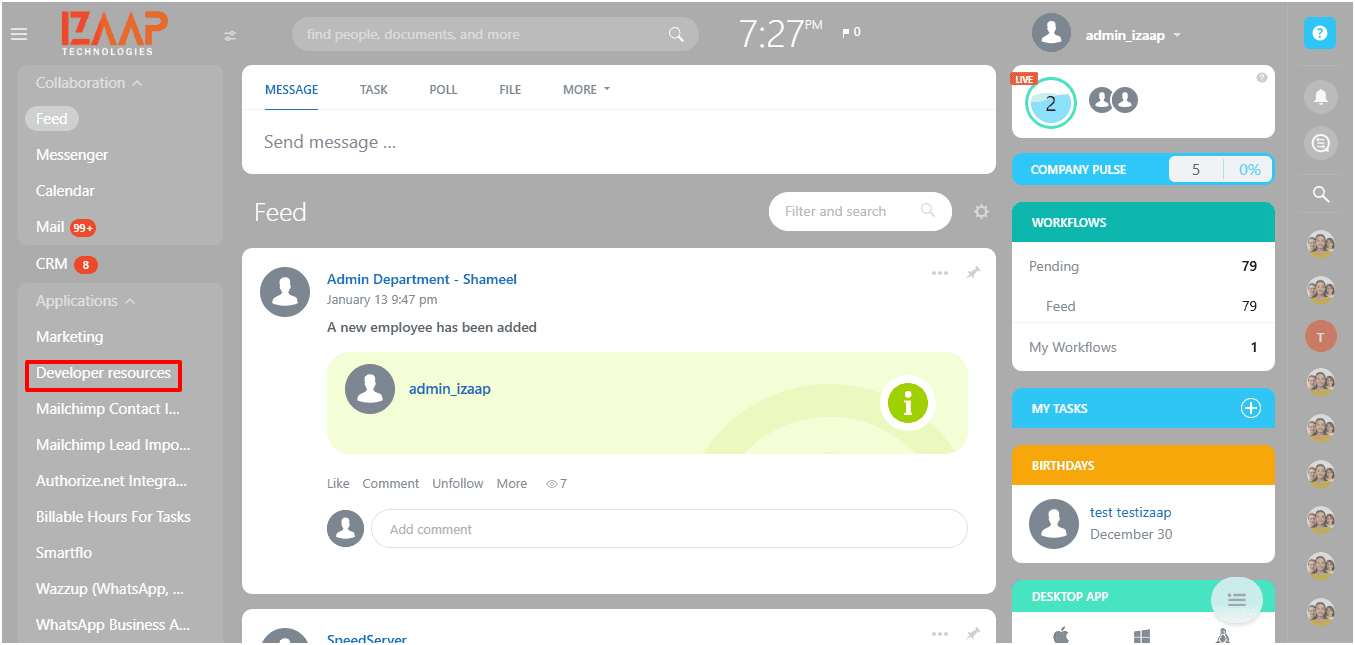
In Bitrix24, go to the left menu and select Developer Resources.
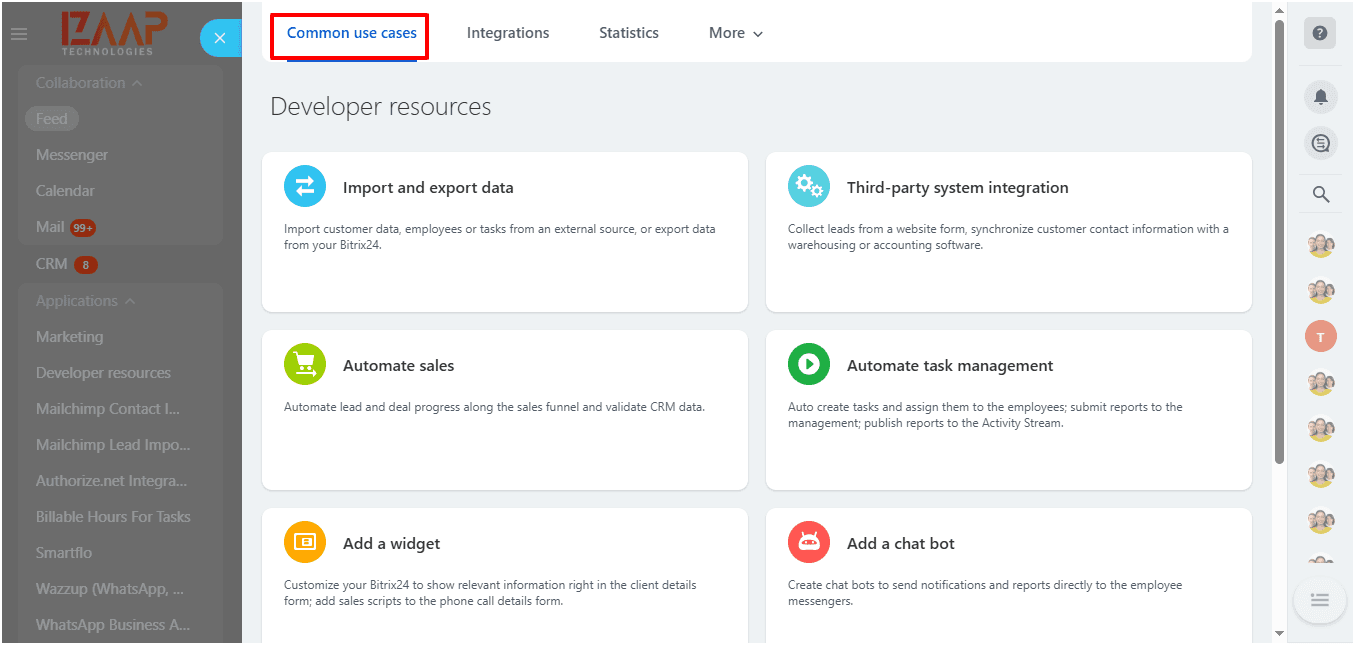
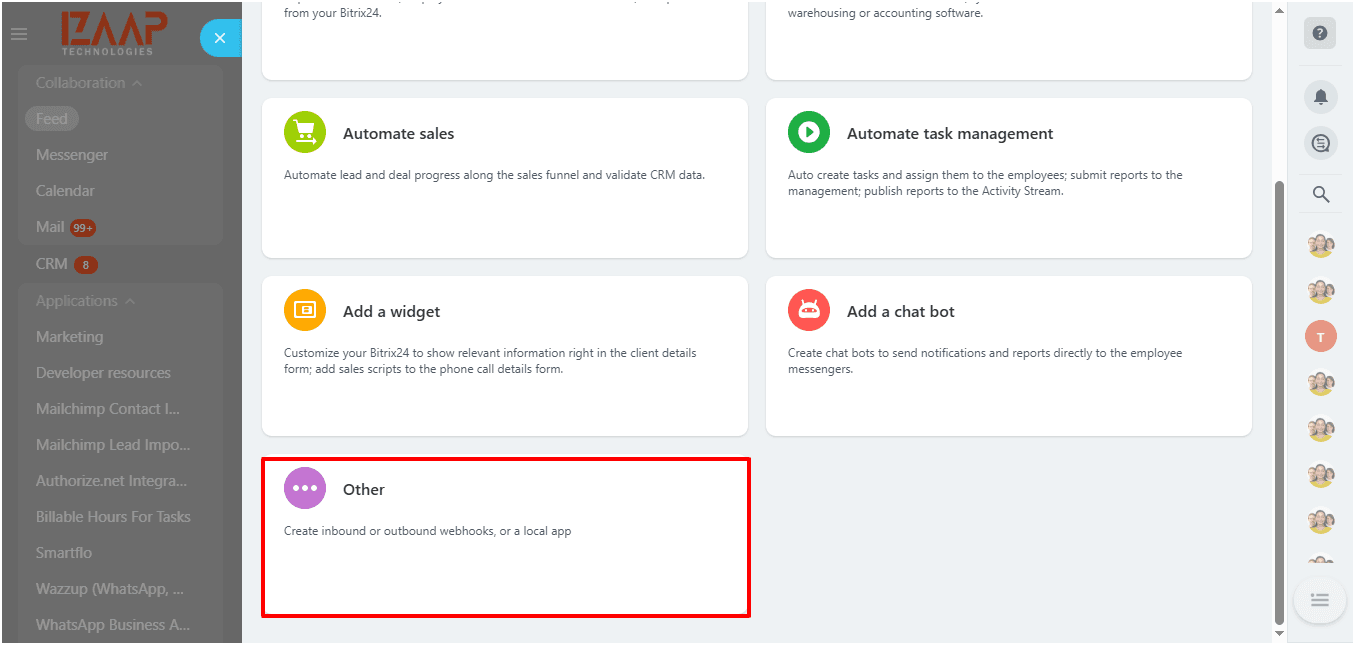
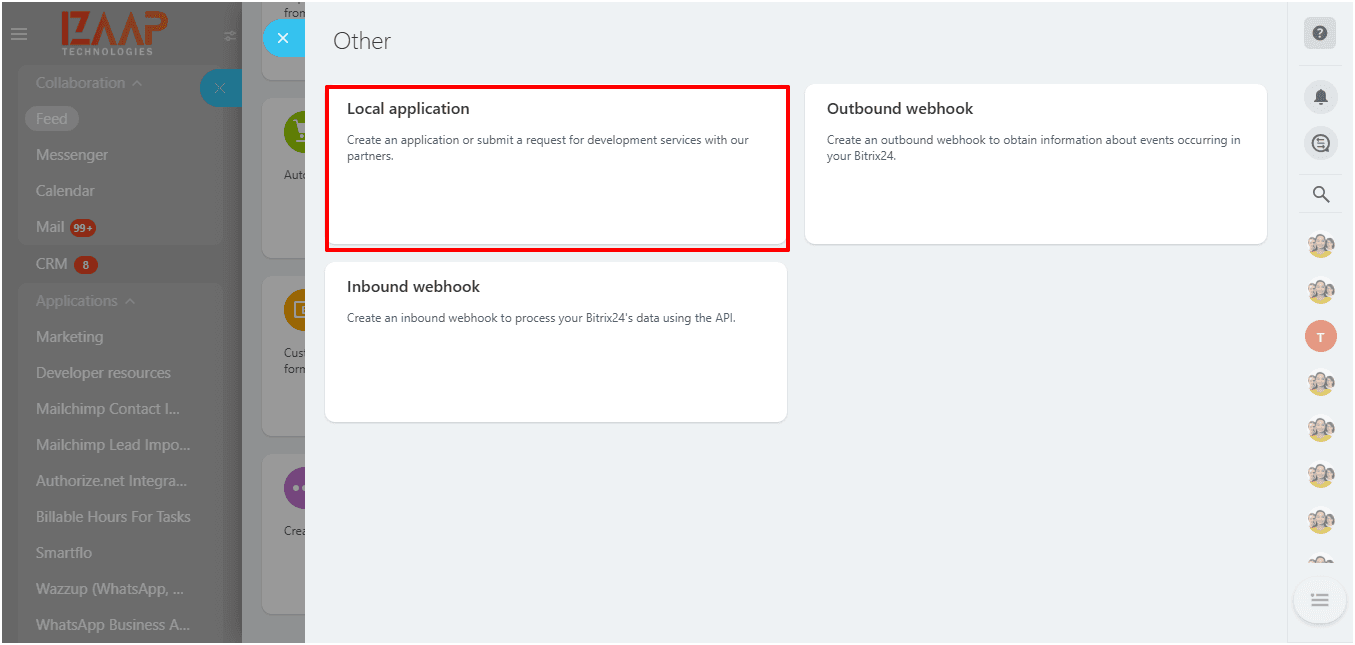
In the Common Use Cases tab, scroll to the bottom and select the "other" option.
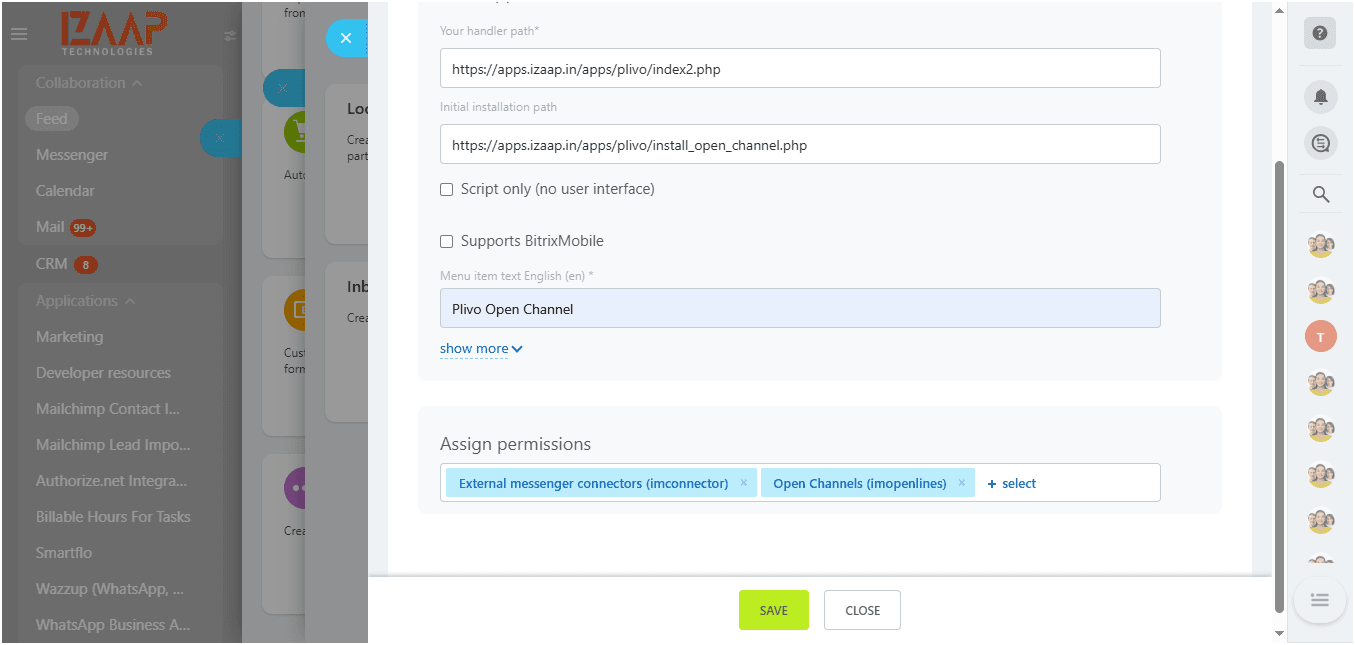
Choose Local Application. Set Handler Path: https://apps.izaap.in/apps/plivo/index2.php and Initial Installation Path: https://apps.izaap.in/apps/plivo/install_open_channel.php. Menu item text: "Plivo Open Channel Application Configuration". Set permissions: External messenger connectors (imconnector), Open Channels (imopenlines).
After saving, copy the Application Client ID and Secret Key. Click Reinstall, then paste both credentials into the Plivo Marketplace app settings.
Go to your Bitrix24 Contact Center page. In the Open Channels dropdown, select "Plivo open channel" and click Connect. Configure settings as needed, selecting Plivo as the CRM source.
Join 50+ companies who trust IZAAP as their Bitrix24 Gold Partner.
Free consultation. No commitment. Just clarity.
📞 Call us now: +91 74280 94109 · ✉️ info@izaaptech.com